
The other day, trying to sleep in yet another hotel room. There was a periodic blinking light in the smoke alarm… more like a small flashbulb. The front of the flatscreen TV (nice, they even had some HD content) had a steady red LED, and somewhere in the back there was an orange blinking LED which cast a periodic fan of light through slits in the enclosure onto the wall. My laptop has an LED around the power connector that lights up orange when it’s charging, green when it’s charged. A white LED in front periodically waxes and wanes while the computer is asleep, like it’s breathing. My phone has a small red LED while it charges, which turns green when it’s charged. The clock radio had a large, easy-to-read red LED display, and the snooze button lit up bright orange.
With all the flashing, blinking and breathing, and the plethora of colored lights in general, it was like trying to sleep in Times Square.
Comments Off
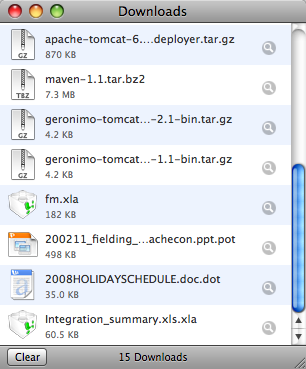
For some time, any time I downloaded a Microsoft Office document in Safari, the browser appended an extra filename extension to the saved download, which turned the Office Document into an Office Template. A Word Document gets a .dot suffix, a Powerpoint slide show gets .pot, and an Excel spreadsheet gets .xla, which turns it into an add-in library which is really not what that file is. Devastating? No. Annoying? For sure yes. Life is too short to have to munge file name extensions all the time, and this is a Mac, right, so stuff should just work.
Fortunately, a Google trip across some web forums leads to the cause of the problem, which in itself is an interesting illustration about how intricate even Personal Computers have become, and how easy it is to break something. (more…)
Comments Off
ApacheCon EU 2008 has come to an end, and I think it’s been a really good show. Exactly what defines a conference as “good” is sometimes hard to capture: I think a lot is in the intangibles like who was there, what was done and what was discussed over the tables in the common room.
There were good talks too: I think dividing the conference up in tracks worked really well. It made it easy to find related sessions and follow them. A logical next step might be to work with the presenters to make sure that the contents of a particular track are cohesive, with minimal overlap. The planners may want to assign each track a volunteer “editor” from that particular field who gets to work with the individual presenters.
I spent a significant amount of time in the Systems Administration and Security tracks because that’s where I was presenting. On Friday, my talks done, I sat in on some sessions about projects and technologies with which I have never worked, and found them really inspiring. During Ate’s talk on enterprise portals I downloaded the installer of Jetspeed 2, and found myself with a fully functional portal on my laptop, ready for corporate branding and custom portlets. That’s cool stuff.
I guess that I’ll also be looking at interesting stuff like Serf and the Waka as they develop and (hopefully) are documented. Will I play a role in the development of Apache 3.0? Ma-a-a-a-a-a-y-be… in my copious spare time. Will there be an Apache 3.0? Only time and dev@httpd.apache.org will tell.
I feel tired, yet refreshed, with lots of interesting things to check out. And that is a good feeling to have after a conference.
We’re doing a PGP Keysigning again at ApacheCon Europe 2008, but the Apache Wiki is down today so I can’t update its PGPKeySigning page. Several folks have already sent me their key: thank you very much!
The Keysigning session will happen at the tail end of the Welcome Reception, and hopefully be done before the BOFs start. If you would like to participate, send your public key to sctemme at apache dot org before 3PM on Wednesday. I will compile the key list after I’m done with my talks.
Comments Off
It’s fully ensconced in my muscle memory: tar -xzf somepackage.tar.gz to untar a gzip-compressed tarball. But what if the tarball is compressed with Bzip2? You have to use tar -xjf or tar won’t understand the compression format.
Or, on MacOSX, just use tar -xf on either compression format and tar figures it out for itself. And that’s the way it should be: smart software that can find out on what file format it operates.
But my fingers still want to tar -xzf…